


TextNow: Call + Text Unlimited
4.6401.77K Reviews
App Specs
- Version
- 26.42.0.0
- Updated On
- License
- Free
- Downloads
- 100,000,000+
- Developer
- TextNow, Inc.
- Categories
- Communication
- Platform
- Android, iOS
Screenshots

 Analysis by AppCompare
I find the most useful idea behind TextNow: Call + Text Unlimited to be the extra phone number: it gives everyday calls and messages a separate home on the same device, rather than asking you to carry another phone. That can be handy when you want a number for a particular part of your life, but it also changes how I’d judge the app. The key question isn’t just whether calling and texting feel familiar; it’s whether a second number suits the way you actually communicate.
A second number is the real draw
TextNow is a free communication app from TextNow, Inc. Its appeal is straightforward: you can use an additional number for calls and texts, which can help keep some conversations apart from your main line. I’d consider it for a side project, a temporary housing search, or contact with people I don’t necessarily want to give my usual number. It’s a practical layer of separation, not a replacement for good judgment about who you trust.
The distinction matters because an app-based number is not quite the same thing as having a second mobile subscription. You still need to use the app and have a working internet connection for the service to be useful. If you want a separate device, a carrier-managed line, or the simplest possible setup for emergency calling, I’d look at other options instead of assuming an app number behaves exactly like a conventional phone line.
Guides and Analysis on TextNow: Call + Text Unlimited
Where it fits into a normal day
Imagine you’re arranging a repair, selling a desk locally, or coordinating a short-term project. You can share the TextNow number for those conversations and leave your main number for family and close contacts. When replies arrive, you can check them in the app rather than mixing every message into one stream. That separation can make it easier to decide which conversations need attention and which can wait.
I’d make the arrangement more useful by choosing a clear purpose for the number before sharing it. For example, keep it for listings and service appointments rather than handing it out indiscriminately. That way, the number becomes a simple filter: if a message arrives there, you know roughly what it concerns. The benefit is organizational as much as private, especially if your main inbox is already busy.
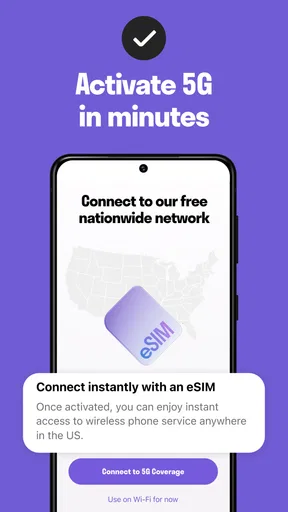
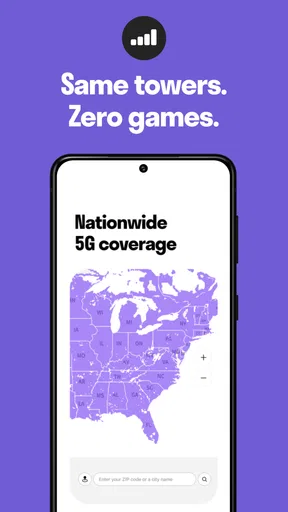
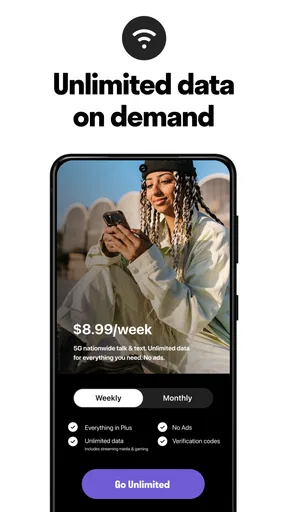
TextNow’s store summary also describes unlimited 5G data with no fees, but I wouldn’t read that as a reason to stop checking the details of my own connectivity or service needs. The app’s core value is the extra number and communication access; whether it can take the place of a regular mobile plan depends on how and where you use it. I’d test it for the specific conversations you have in mind before relying on it as your only route to reach people.
What to expect beside regular messaging apps
Compared with a typical messaging app tied to your existing number, TextNow is more useful when you specifically want another number. A familiar messenger may be the smoother choice for a group that already uses it, since everyone can keep talking in the same place. TextNow makes more sense when the goal is to give a different number to a contact or keep a set of calls and texts apart from your usual conversations.
Worth Reading Before You Choose

Google Calendar Makes a Crowded Week Easier to Manage

Ludo King Makes the Most of the Minutes Between Plans

Baby Panda World Brings Quick Play to Modern Phones, but Its Game Library Feels Busy

ESPN’s Live Game View Makes Following Close Games Easier

QuizzLand Review: A Good Fit for Short Trivia Breaks, Not Every Player

Basketball Stars: Multiplayer Is Fast, but Can It Recover When Matches Go Wrong?
Compared with adding a second carrier line, the app avoids the feel of managing another physical phone, but the trade-off is that its calling and texting depend on the app and internet access. I’d treat it as a convenient secondary channel rather than a guaranteed substitute for every situation. If you need broad availability, a number that behaves just like your primary carrier number, or a dependable connection wherever you go, a conventional mobile plan may be the better fit.
Small choices that prevent frustration
Before sharing the number widely, I’d use it for a few low-stakes conversations and see how it fits my routine. That gives you a chance to notice whether you check the app often enough and whether its notifications are easy to distinguish from those for your primary line. If you’re using the number for a short-lived purpose, it’s also sensible to tell important contacts which number to keep and which one is only for that task.
One useful habit is to keep the number’s purpose narrow and review who has it. A second number can reduce how often you expose your main one, but it doesn’t make unwanted messages impossible. Nor does it automatically sort work, personal, and temporary contacts for you; that separation only helps if you consistently use the app for the role you chose. I see that as a manageable trade-off, not a flaw unique to TextNow.
Another point to consider is account continuity. If people rely on the number to reach you, keep access to the account and the app in mind when changing devices or reorganizing your phone. I wouldn’t make a secondary app number the sole contact method for something important without first confirming that I can keep using it in the situations that matter to me. That small bit of planning is especially worthwhile if the number is attached to appointments or ongoing work.
Getting Started with TextNow
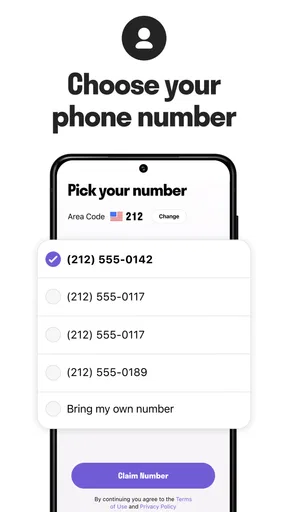
Setting up TextNow: Call + Text Unlimited was a breeze. I just downloaded it from the Play Store (or App Store for you iOS folks), created an account, and voilà—I had a new phone number. It felt a bit like magic, honestly. The app lets you choose a number based on your preferred area code, which is super handy if you're trying to keep things local or just want a number from another city.
The interface is clean and intuitive. The home screen is divided into messages and calls, much like a regular phone, so there’s no learning curve. I found myself navigating through the app effortlessly, something that’s not always the case with similar apps.
Features That Stand Out
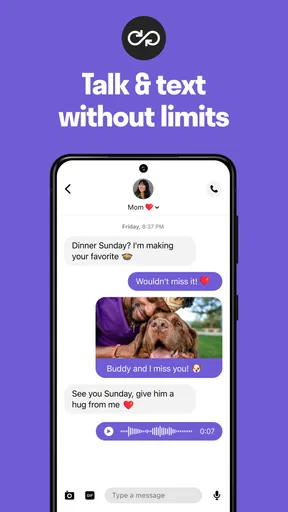
Now, let’s talk features. The app offers unlimited texting and calling within the US and Canada, which is a huge perk. You can also send pictures, emojis, and even stickers, making conversations more lively and fun. I tested it out by sending a barrage of emojis to a friend, and everything went through without a hitch.
One feature I really appreciated was the voicemail. It automatically transcribes your messages, so you can read them when you’re too busy to listen. I tried it during a meeting, and it was spot-on. Another cool aspect is the ability to customize ringtones and notifications, letting you personalize your experience.
Call Quality and Connectivity
Let’s face it—free apps often come with compromises, but surprisingly, the call quality on TextNow was pretty solid. I made several calls under different network conditions, and while there were minor hiccups occasionally, the clarity was generally impressive. It’s worth mentioning that a stable Wi-Fi connection enhances the experience significantly.
However, if you’re off Wi-Fi, TextNow still keeps you connected. The app uses your data plan, but I found it to be quite efficient, not consuming too much data even during longer calls.
Finding the right expectations
There are a few practical questions I’d settle before making this a regular contact number. Is it free to start? Yes: TextNow is listed as free, though it also offers in-app purchases ranging from $0.29 to $99.99 per item. I’d check what an optional purchase does before paying, and I wouldn’t assume every part of the experience works the same way without one. The app is rated for Everyone, but that doesn’t mean every conversation or contact is automatically suitable for every age group.
Will it work on an older device? The current version is 25.50.1.0, and the listed minimum operating system is version 9. That is useful to check before installing, particularly if you’re setting it up on a spare phone for a family member. TextNow has been available since September 1, 2012, and its broad adoption—over 100 million installs, with a 4.6 average from around 1.6 million ratings—suggests many people have tried it, though popularity can’t guarantee the same call experience on every network or device.
Can it replace a main phone line? I wouldn’t recommend assuming so. If missing a call would cause a serious problem, keep a dependable primary contact method and try TextNow alongside it first. Internet availability, the app’s presence on your device, and your own notification habits all affect whether you notice incoming communication in time. For casual calls, a spare number, and routine messages, that may be an acceptable trade; for critical availability, a conventional carrier line is easier to rely on.
It’s also worth deciding what you’ll do with the number if its original purpose ends. If you used it for a marketplace listing or a temporary project, stop sharing it once that work is done and update any contacts who still need you. The app can separate conversations, but it cannot make old contact details disappear from other people’s phones or messages. A little housekeeping keeps a useful second channel from becoming a neglected one.
Who benefits, and who should pass
I think TextNow is most appealing to someone who wants a low-cost way to keep selected calls and texts separate without carrying a second handset. It may suit a student coordinating a club, a freelancer who wants a distinct contact number for inquiries, or anyone who would rather not give a primary number to every one-off contact. The free entry point makes it easier to try that workflow before deciding whether it genuinely helps.
I’d skip it if you want a full substitute for a carrier plan, dislike checking a separate communication app, or need your number to be reachable in circumstances where internet access is uncertain. It may also be unnecessary if all your friends and colleagues already use one messaging service and you have no reason to separate contacts. In that case, the extra account and inbox can add a step rather than solve a problem.
TextNow is a communication app rather than a universal answer to every phone need. Its strong point is the extra number, and its usefulness depends on giving that number a clear job. I’d start with one contained use, such as appointment coordination or a side project, then keep it only if the separation makes daily communication calmer. With that expectation, it can be a sensible companion; without it, a regular messaging app or mobile line may be simpler.
Final Thoughts
In a nutshell, TextNow: Call + Text Unlimited is a fantastic option for anyone looking to cut down on phone bills without sacrificing connectivity. It’s perfect for budget-conscious users or those who simply want an extra number for privacy. While it may not replace your primary phone service entirely, it’s a brilliant supplement.
So, if you’re looking for a reliable, cost-effective communication tool, give TextNow a try. It might just become your new favorite app for staying in touch.
Pros
- Unlimited texting to the US and Canada.
- Free voice calls over Wi-Fi.
- Customizable ringtones and alerts.
- Voicemail transcription feature.
- Affordable international calling rates.
Cons
- Contains in-app ads.
- Requires Wi-Fi for optimal use.
- Limited features without premium.
- Some reports of call quality issues.
- App may drain battery quickly.
FAQs for TextNow: Call + Text Unlimited
What is TextNow: Call + Text Unlimited and how does it work?
TextNow: Call + Text Unlimited is an app that lets users make free calls and send texts using a Wi-Fi or data connection. Once installed, it provides a dedicated phone number for texting and calling. The app is perfect for users looking to save on traditional carrier fees, offering unlimited calls and texts within the US and Canada.
Are there any costs associated with using TextNow?
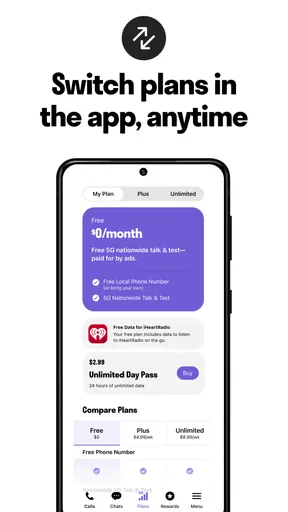
While TextNow offers free texting and calling over Wi-Fi, there are optional in-app purchases and premium features. Users can pay for ad removal, international calling, and additional customization options. It's important to check the latest app details for any changes in pricing and available features.
Can I use TextNow without an internet connection?
TextNow requires a Wi-Fi or mobile data connection to function. Without internet access, users cannot make calls or send texts through the app. However, if a user purchases a TextNow SIM card, they can use the app over cellular networks, expanding its usability beyond Wi-Fi only.
How secure is my data on TextNow?
TextNow takes user privacy and security seriously. The app uses encryption to protect calls and messages. However, like any app, it's important to review the privacy policy and terms of service to understand how your data is managed and what measures are in place to protect your information.
Can I use TextNow to call and text internationally?
TextNow allows free calls and texts within the US and Canada. For international communication, fees may apply. Users can purchase international calling credits through the app. It's advisable to check the specific rates and available countries before making international calls to avoid unexpected charges.


